5 things I wish someone told me before becoming self-employed.

As a freelancer, a small business owner, or someone who is self-employed, you will wear multiple hats and take on different roles. More so at the start of your journey. You’re providing a service or selling a product but you’re also running your business. How can you do all that effectively?

WHAT TO EXPECT | If you’re considering self-employment, in this post I will uncover the 5 things I wish someone told me before starting my own business.

After leaving my 9 to 5 job, I turned down full-time job opportunities to embark on my self-employment journey. To date, I still turn down exciting roles. The thing is, after having a taste of self-employment, I would not hesitate to do it all over again – even with all the struggles and setbacks.

However, I wish I had a mentor when deciding on giving self-employment a go. I wish there was someone who I could rely on, someone who went through the things that awaited me and guided me through them. I made my way into the self-employed world on my own, knowing absolutely nothing about what it means to work solo and only learned through trial and error. So this is me sharing the 5 things I wish someone told me before becoming self-employed.

1. Plan for financial stability

Being self-employed = having a fluctuating income. Or at least until you manage to bag a couple of retainers. During the first year, you will be forking out money until you get started. So instead of diving into self-employment head first, make sure you have a financial safety net in place. Have a plan B, C, and D just in case.

If you’re providing a service, make sure you have an agreement in place, and don’t be afraid to ask for a deposit. There will be instances where you will have to chase clients to settle the bill for work that you’ve already done. Been there, I’m afraid.

You’ll also need to get ready to handle administrative tasks that might have been alien to you in your previous job. Invoicing, bookkeeping, managing, and financing your business. The best gift you can give yourself is that of orderliness and being organised. So make sure to:

  • Track your expenses
  • Save up
  • Budget
  • Create an emergency fund to cover surprise expenses
  • Set aside money (in a separate account if need be) for taxes, SSC & Vat contributions

Which brings me to the next one.

2. Understand taxes

The biggest headache of them all. Taxes, Social Security Contributions, and VAT. I can feel my head throb by just mentioning them. But it’s important to understand and keep track of your incomings and goings. For a long time, I winged it on my own using accounting software (which I still use for some things) to track expenses, issue invoices, and all that jazz. More about this here.

I’m quite organised (as you need to be). I keep copies of every single document, invoice, and receipt, digitize them, and save them in their respective folders. When I was just starting out, I was trying to cut costs so I took care of everything myself. But honestly, hiring an accountant was one of the best decisions I’ve ever made. All those anxiety-filled hours I wasted trying to understand and fill in tax forms are now spent doing something productive. Looking back, I would have hired a trusted accountant right from the start.

GEMMA regularly holds free training sessions by industry professionals – so be on the lookout! They also have a handy guidebook on self-employment.

3. Build a strong support network

Connect with like-minded people from your industry. Bounce ideas. Don’t be afraid to collaborate with other freelancers and self-employed individuals because sometimes, working on your own can be quite isolating. I didn’t dive into the networking game in the first year because I was still trying to find my footing. But building connections on socials can be a great thing. Joining groups and communities can also do wonders (1.) to build a network and relationships and (2.) to connect with potential clients. Don’t be afraid to step outside of your comfort zone. It might not feel good at first – with all of the newness and uncertainties that come with taking the leap – but I promise, it will be worth your while in the long run.

4. Set boundaries

When you’re self-employed, the boundaries between work and your personal life tend to blur. There will be days when it gets overwhelming and not just during the first couple of months. Years in, I still get days where I find myself spritzing calming spray in an effort to keep stress at bay. It doesn’t always work, mind you. The trick is to not let it get to that point and escalate. I find it absolutely important to set boundaries and know your limit to prevent burnout and create a healthy life-work balance.

  • Take frequent breaks
  • Set working hours
  • Change scenery
  • Get out of the house & go for a walk
  • Learn to priortise tasks
  • Create a schedule to keep you on track

I have also learned to say ‘no’ when my current workload reaches its capacity. Or when a project is not the best fit for me. There’s no need to be afraid of declining work as long as you do it gracefully and respectfully. When or if the time comes, outsource, delegate, and grow your team. You don’t have to do everything at once or everything by yourself. But take it a step at a time.

So yes, your well-being comes first.

5. Self-Care is a priority

Funny thing when you’re your own boss, no one will think you’re ever busy. What people don’t realise when they see you at a coffee shop at 10 am on a weekday, is that you also work through weekends, and public holidays, wake up early or stay in late to meet deadlines and make ends meet.

During a real conversation I had with an acquaintance a few weeks ago, self-employment made it into the stream. The first thing this person said?

“Being your own boss. I envy your flexibility. You can just take the day off.”

Um, no. Not really. True, flexibility is a big pro which I love but we also work around the clock to make it work. It’s like any other job but with your business directly at stake. It can be demanding and it can be stressful. So it’s SUPER important to go and have that coffee by yourself or with a friend at 10am on a Tuesday. Make time for a walk, relax, spend quality time with your loved ones, and enjoy your hobbies. Whatever helps you unwind and take better care of yourself, do it. Schedule it like you do work. Because if you’re not at your best, if you’re not feeling your best, you can’t give your absolute best.

And there you have it. The first 5 things I would have told myself six years ago when I was just starting out!

↠ MORE ON THIS! I’m sharing my self-employed journey on Instagram and will be showing what I find most helpful over there. Feel free to follow for tips & updates!

Self-Employed? Let’s get you organised! Tools that will help you stay on top of your game right here.

Until next time
Amanda x

Working from home with kids: how to make it work.

Tips & tricks that will help you stay sane ↴

Working from home with kids presents a new set of challenges. Making it work is a struggle and an art. I’ve been self-employed since 2017 and became a mum two years later. So I’ve been juggling WFH and motherhood for four years now. Most of you may have first experienced this during the pandemic. I remember, during the first few months of isolation, people asked me how I manage not to lose my marbles at the end of the day. Honestly, most of the time, I have no idea how I don’t.

Even as I’m trying to write this, I stopped like a million times. My almost-four-year-old is asking me to play with her, nudging me, and doing everything in her power to grab my attention. I feel terribly guilty for having to work when she’s at home. And the only chance I have to create my content, work on my personal projects, and actually do something for myself (sometimes even something as basic as washing my hair) – is in the evening when she’s at home.

This brings us to the million-dollar question I’ve been asked at least a thousand times.

▶ “But how do you manage?”

Mind you, on some days I don’t manage to be productive. At all. But most things I learned through experience and some take a while getting used to but if you put your mind to it, you’ll get there eventually. I’m sharing five (5) tried & tested tips that help me get through my working day at home with my child.

1. Workspace

Having a designated area for work helps set a boundary between home life and work itself. It doesn’t have to be a full-blown office if you don’t have the space for it (like in my case). A desk setup and shelving should be just about enough to get you off working from your couch or dining table.

2. Schedule & prioritize

The demands of both work and family life are trying. Having a routine helps but we all know how that blows to pieces when one of the kids sneezes. Didn’t mean for that to rhyme, but there you have it. You need to be flexible and manage your expectations when you have kids around. Schedule your work when the kids are occupied: at school, during home activities or during nap time.

So I’m the most productive in the mornings when Bethany is at school and then I’ll work around entertaining her when she comes back home in the afternoon. First thing in the morning, I make a list. A simple, pen-to-paper list, starting with top priority, time-bound work including tasks that require 100% focus, meetings, and calls. So that once I have Beth at home, I manage tasks a little down that list.

3. Set achievable goals

This should be highlighted, bold, and underlined. It’s better to keep that list short and have 6 doable tasks than jot down 20 tasks that you cannot, for the life of you, get through. It’s frustrating and overwhelming. I’ve been through that too many times to count before it finally sank in. And NEVER ever multitask. That is just the worst. You’ll feel more stressed, and unable to concentrate and it will set you back tenfold.

4. Learn to say NO.

This is a learning curve. It’s easier said than done and I’ve learned this the hard way. But it’s better to know your limit than be in over your head. Otherwise, you’ll burn out faster than the fireworks on the fourth of July (or if you’re Maltese, on Santa Marija). If a task is not a priority, focus on what is truly important during your allocated work time.

There are times during the early years of self-employment when you cannot afford to say no to some projects. You’re just starting out and need both experience and cash flow. I’ve been there, I get it. Years later though, once you’ve found your niche, your market, do not be scared to decline work when: 1. you have too much on your plate 2. requests do not align with your priorities.

5. Take breaks

If you have a time when you’re without your kids, take a break. Don’t power through the day without stopping to take a breath. You need that time to refocus. When you’re with your kids, plan activities for them. Kids will not sit through one activity for long. I found that preparing activities beforehand helps: with puzzles, drawing, painting, and role-playing. Going to the park/play areas after school is another way to take a mental break and spend some good quality time together (and get them to exercise with the hope of a short nap later).

Listen, when I have a deadline, I’m going to be the first to admit that Disney+ saves me every time. You’re not a bad parent for including a little more screen time when you find yourself backed against a wall. Which brings me to working through distractions – it’s an acquired skill. When you have no option but to work through ‘Let it go’ on a loop, you’ll see what I mean. I usually stay close to Bethany to have eyes on her and put on my headphones. There will be nudges, there will be requests for snacks and whatnot but it’s doable.

✨ Be kind to yourself.

You’re doing the best you can. Sometimes even more so don’t be too hard on yourself if you didn’t manage to go through your work list or had to increase a little screen time to complete a task. I’m also aware that it depends on the type of job that you have, the kind of employer and clients. Little by little, we’re getting to a place where people understand what it means to have work responsibilities and the demands of parenting.

My advice to you? Take care of yourself and don’t ever forget that. During my cabin crew years and every time I get on a plane, there is that one phrase that you may take for granted but I cannot get out of my head: “Put on your mask first before helping others.” I apply it to my everyday life. If I burn out, if I fail to take care of myself, how can I care for others? My family? My clients? And accept help when you need it.

Until next time,

Amanda x

↠ MORE ON THIS! I’m sharing my self-employed journey on Instagram and will be showing what I find most helpful over there. Feel free to follow for tips & updates!

Self-Employed? Get Organised.

I’m writing this five years after landing my first client. If you’re just starting on your own or thinking about it, I know how overwhelming it can get. At this point, being organised is the best gift you can give yourself.

WHAT TO EXPECT | In this post, I will not go into branding and content creation. This is the backend of the backend and these are tools that will help you stay on top of your game.

✨ DESK SPACE

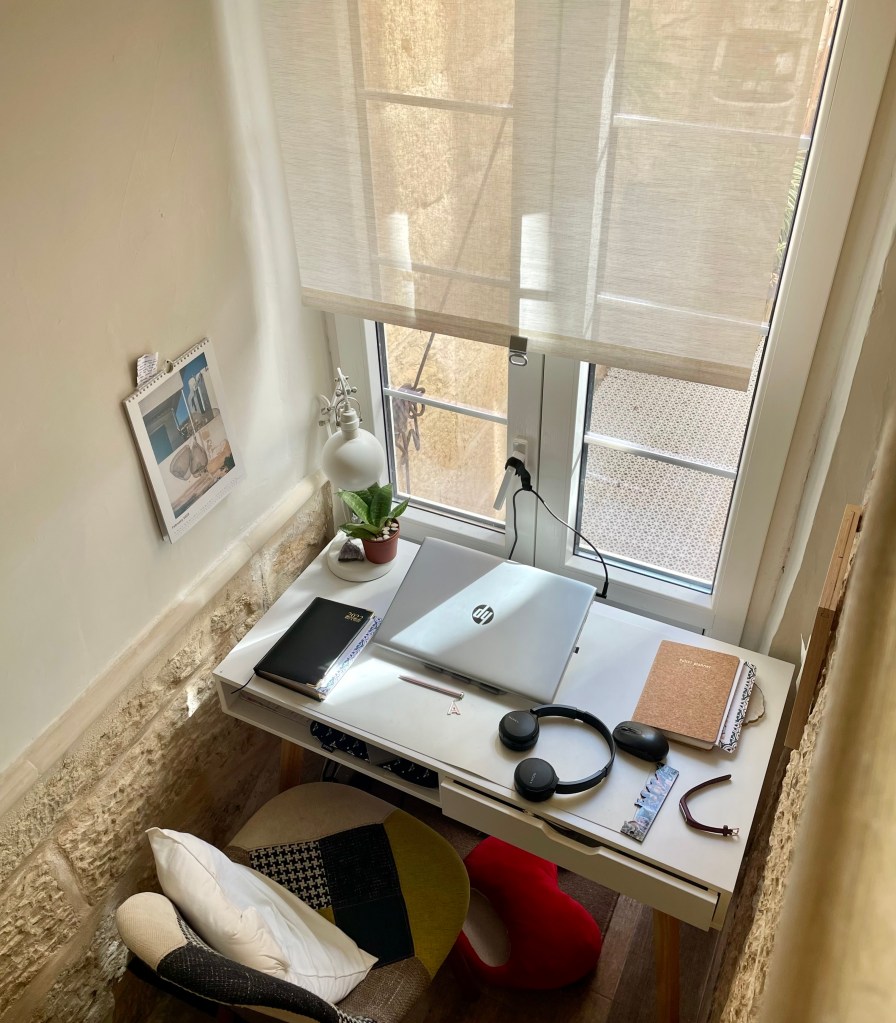
My first ‘office space’ was not an office at all. I have been working from home way before COVID-19 hit us like a storm. I used to work from the couch, at the dining table, from cafés – you name it. One thing I learned along the way is that it’s better to have a space dedicated to your work. Even if it’s just a small desk (I managed to fit one under the stairs) and a shelving system for files, paperwork, and books. I want work-related stuff to be at arm’s length – literally.

Mind you, I still go to cafés to work. It’s usually more to brainstorm on personal content ideas, find inspiration and write – rather than client work. But I find the change in scenery to be refreshing. Sometimes, much needed.

Stationery Essentials:

Planner/Yearly diary – the physical kind to complement your online calendar. It will keep you more accountable and it feels good to tick or cross out tasks.

Highlighting System – colour-coding your work schedule so that you don’t overlook anything.

Sticky Notes (and a memo board) – perfect to pin ideas that pop out of the blues, scribbles, reminders & quick notes.

List Pad – I promise you, you will thank me later.

Filing System – We live in the digital age but you will still have papers to sort out and file. Especially (and I cannot stress this enough) for your VAT, TAX, and Social Security Contribution.

I have separate, transparent folders – labeled by date – for the above-mentioned which I keep in a simple white box I got from IKEA. Why transparent folders? I love knowing what’s in the folder just by looking at it instead of rummaging through it.

Envelopes – Have them at hand. You’ll have VAT receipts and receipts to send eventually.

Stamp/Stickers – with your logo. Having one or the other on your envelope gives off a professional vibe. Tried and tested! You can also have one with your return address.

✨ ONLINE PLANNERS

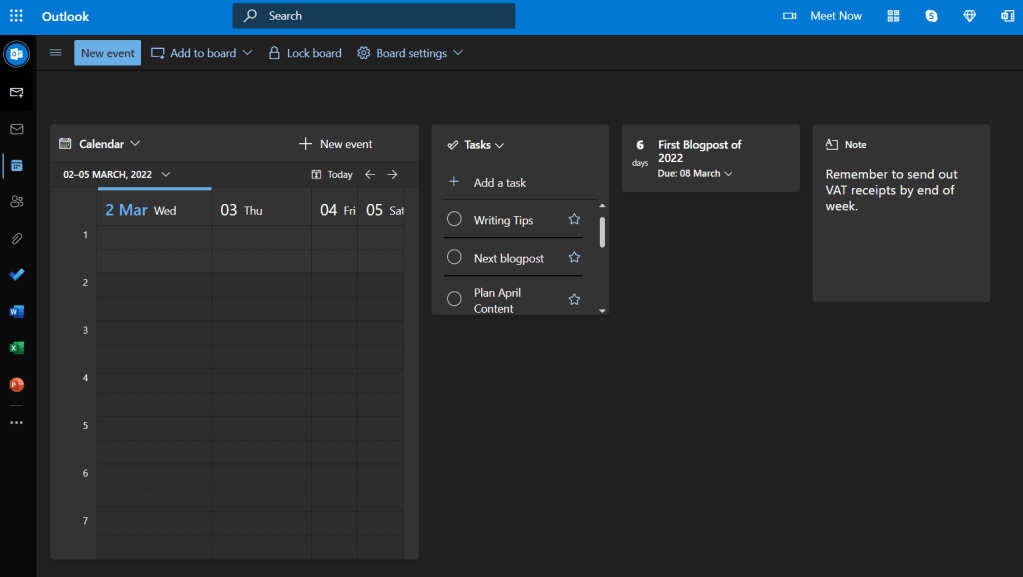
Now that you have your faithful diary/planner by your side, it’s time to set up an online version. For calls, meetings, and tasks, I use my Outlook calendar. If you want to assign tasks and have ‘stricter’ timelines and deadlines, may I suggest:

  • Outlook Live – Everything in one place: emails, calendar, to do list, tasks & notes
  • Asana – a great way to manage tasks and add projects – especially if you work with a team. Basic package is free of charge.
Source: https://asana.com/product/workflow-builder
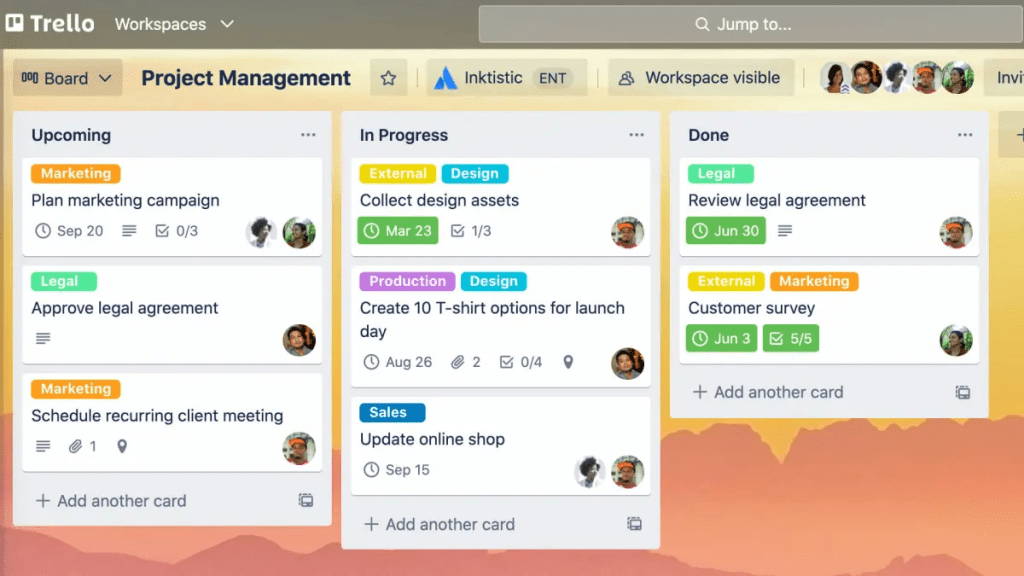
  • Trello – Again, basic package is free of charge. The workspace is easy to use and manage + it’s also customisable.
Source: https://trello.com/guide/trello-101

There are loads of other web-based softwares to keep your tasks in check. A quick google search will uncover the long list of options!

✨ ACCOUNTING SOFTWARE

Zipbooks has been my personal online accountant since the beginning. It’s easy to add expenses along the way, create and issue invoices. You will be able to keep records and transactions in one place.

  • It’s free of charge (for the large part – add ons/other options are at a charge)

Ideally, get in touch with a trusted financial advisor to guide you through the hoops and loops. If, like myself, numbers do not course through your veins, seek professional help. Still, accounting software is super for day-to-day operations.

Source: https://zipbooks.com/accounting/

✨ SOCIAL MEDIA PLANNING TOOLS

You’re running a business, staying on top of accounts, coming up with new product or service ideas, making sure your customers are happy, AND planning posts for social media (SM)? Well, yes and no.

Yes – if you are winding through the roads of self-employment, you will realise (if not already) that you will wear many hats.

No – acknowledge the fact that you do not have to do every single thing yourself and sometimes it helps to have, well, help – from the right people.

If you’re just starting out, outsourcing social media work may seem like a waste of money. I’ll be honest with you – if you know what you’re doing it might as well be. However, when your business picks up (or if it’s not your thing, to begin with), you can then start thinking about having extra hands on board to help with strategy and managing your socials. In the meantime, here are some SM planners that may come in handy:

Buffer – it’s great to start with. The basic package is free of charge and you can add up to 3 social channels (e.g. FB page, IG account & LinkedIn page) including 10 posts per channel.

Source: https://buffer.com/publish

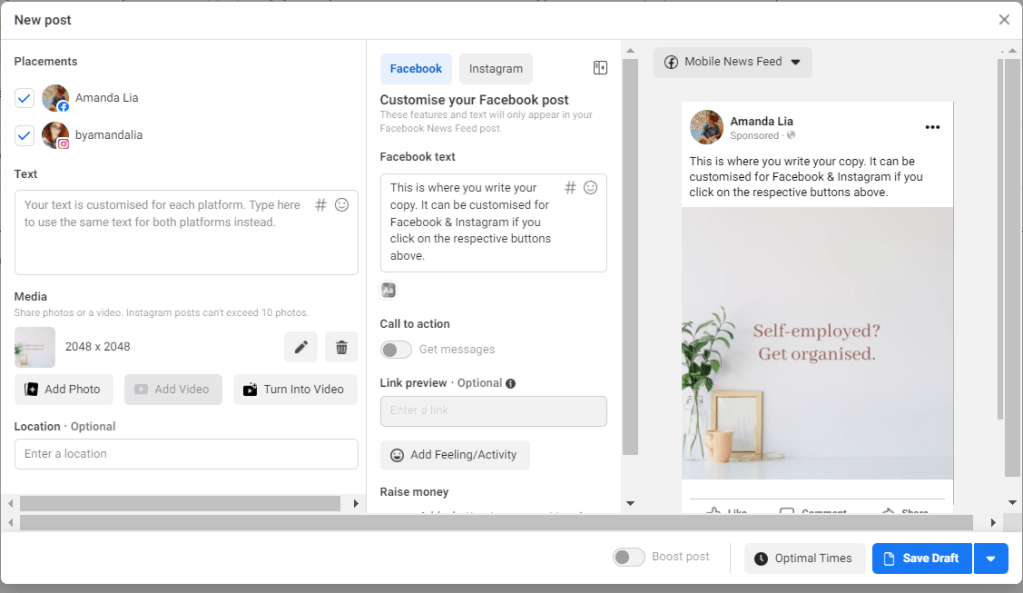
Meta Business Suite – If you want to avoid the hassle of having an external planner like Buffer, this is your go-to planner & scheduler for Facebook & Instagram. It’s easy to use & you can customise your copy easily for one and the other.

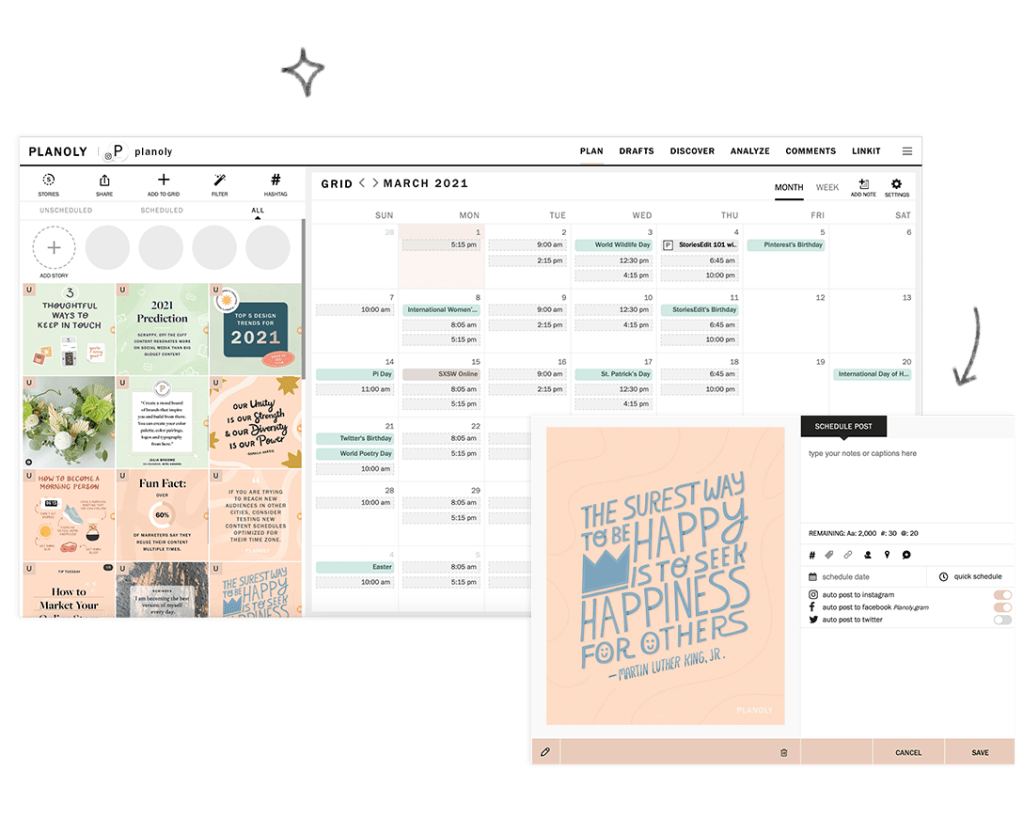
Planoly – for Instagram. This is perfect to visually plan out your grid and schedule posts. Again, the basic is free and then you can have upgrades. With the free package, you can add 2 social profiles (e.g. IG & Pinterest) and have 30 uploads per month, per social.

Source: Planoly | https://pages.planoly.com/about

Mind you, our good old friend excel/sheets, works just fine as well. Edit in a calendar in your sheets and you can map out your timeline there. If you’re working with other team members, simply upload it on a shared drive and you’re good to go!

MORE ON THIS! I’m sharing my self-employed journey on Instagram and will be showing what I find most helpful over there. Feel free to follow for tips & updates!

If you’re starting on your self-employed journey or even if you’re already on board that train, hopefully, you found some of this helpful! If you have any questions or would like me to write about a related topic, don’t be shy – get in touch!

Until next time,

Amanda x